Deploying vLLM Semantic Router on AMD Developer Cloud



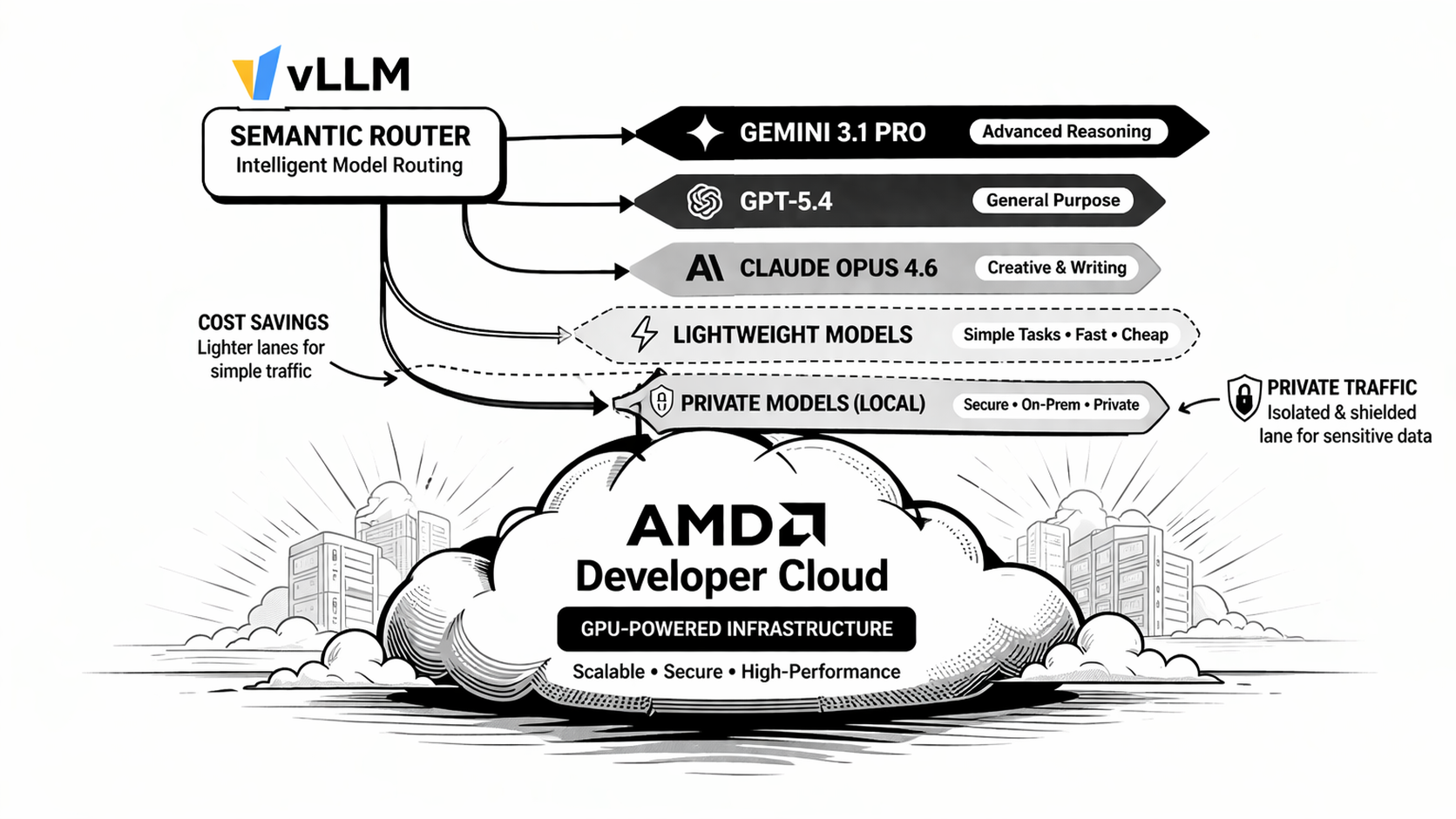
Running vLLM Semantic Router on AMD Developer Cloud is not just about bringing up one more inference endpoint. It is about turning it into a routed multi-tier system that can classify requests, choose a semantic lane, and make replay and Insights immediately useful.
This post walks through the practical path: start the ROCm backend on an AMD Developer Cloud instance, install vLLM-SR, import the reference profile, and validate the deployment end to end.
What Is vLLM Semantic Router?
vLLM Semantic Router is the system intelligence layer for LLMs. It sits in front of model endpoints, reads each request before generation begins, extracts semantic signals, and decides what should happen next.
That makes it more than a cost-saving router. It is also a control layer for safety, privacy, and policy. The same routing system that sends simple work to cheaper lanes can also detect sensitive traffic, keep private requests on local infrastructure, apply security-oriented plugin chains, and reserve stronger models for tasks that actually need deeper reasoning.
This is what makes Semantic Router especially relevant for AMD deployments. It supports intelligent multi-model routing, privacy-first enterprise AI, and local-first personal AI in the same architecture. In practice, one system can decide when to optimize for cost, when to prioritize security or privacy, and when to keep a personal or sensitive workflow close to the user instead of treating every query the same way.
Note: in this reference profile, aliases such as
google/gemini-3.1-pro,openai/gpt5.4, andanthropic/claude-opus-4.6are logical routing tiers backed by the same ROCm Qwen deployment. They are not outbound calls to those vendor APIs.
How the Signal-Driven Architecture Works
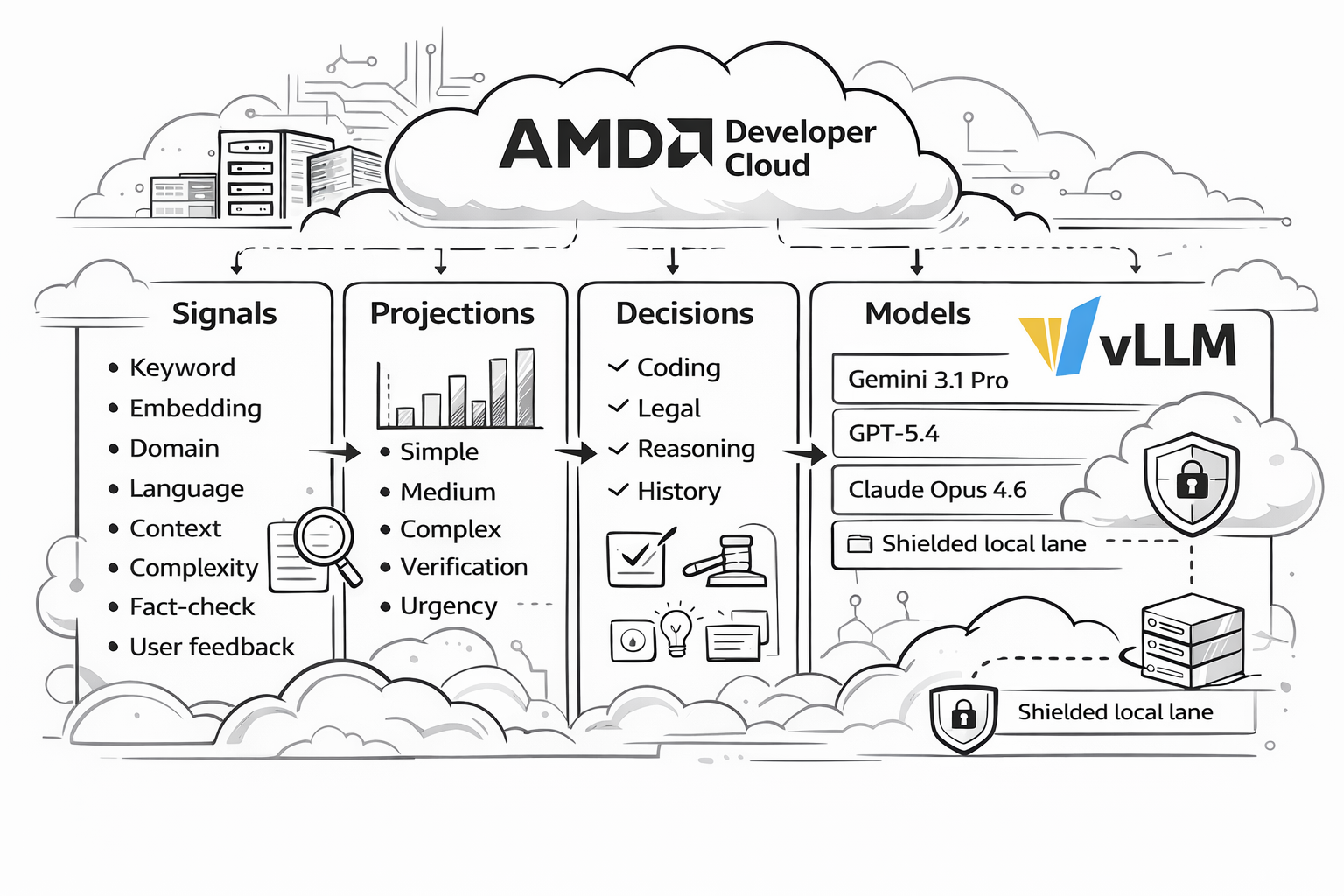
The easiest way to understand vLLM Semantic Router is as a four-layer architecture:
- Signals are the raw observations extracted from each request. In this repository, the AMD profile uses signals such as
keyword,embedding,structure,fact_check,user_feedback,reask,language,domain,context, andcomplexity. - Projections are the coordination layer. They take raw signal evidence and turn it into reusable routing outputs such as
balance_simple,balance_complex,balance_reasoning,verification_required, orurgency_elevated. - Decisions are the policy layer. They combine signals and projection outputs into named routing outcomes such as
medium_code_general,reasoning_deep, orpremium_legal. - Models are the target lanes. Decisions point to logical models or aliases through
modelRefs, while endpoint wiring, pricing, and backend references live in the provider model catalog.
In other words, the runtime flow is:
User Request -> Signals -> Projections -> Decisions -> Model Alias -> Backend Response
This is why the system is more expressive than a simple classifier. A query does not have to be “just math” or “just code.” It can simultaneously look urgent, evidence-sensitive, short-context, Chinese-language, and correction-oriented, and the routing policy can respond to that richer state.
What You Will Deploy
At a high level, this deployment consists of:
- One ROCm vLLM backend running
Qwen/Qwen3.5-122B-A10B-FP8 - One vLLM Semantic Router instance in front of that backend
- One reference routing profile from
config/recipes/balance/config.yaml - One dashboard for onboarding, replay inspection, playground testing, and Insights
The reference alias layout is:
qwen/qwen3.5-rocmfor the SIMPLE lanegoogle/gemini-2.5-flash-litefor lower-cost expressive medium tasksgoogle/gemini-3.1-profor complex technical or architecture-heavy tasksopenai/gpt5.4for high-reasoning escalationanthropic/claude-opus-4.6for the premium legal lane
Pricing in the profile is intentionally exaggerated so Insights can make tier differences and savings easy to see. It is a demo-friendly routing profile, not a mirror of vendor billing.
Why This Matters for AMD
This architecture creates a compelling opportunity for AMD. Rather than being positioned as just another accelerator target, AMD hardware can take on a more strategic role. With a Semantic Router layered in front, an AMD deployment can serve as the control plane for system intelligence.
Notably, this approach spans the entire AMD data center GPU lineup, including the MI300X, MI325X, MI355X, and beyond.
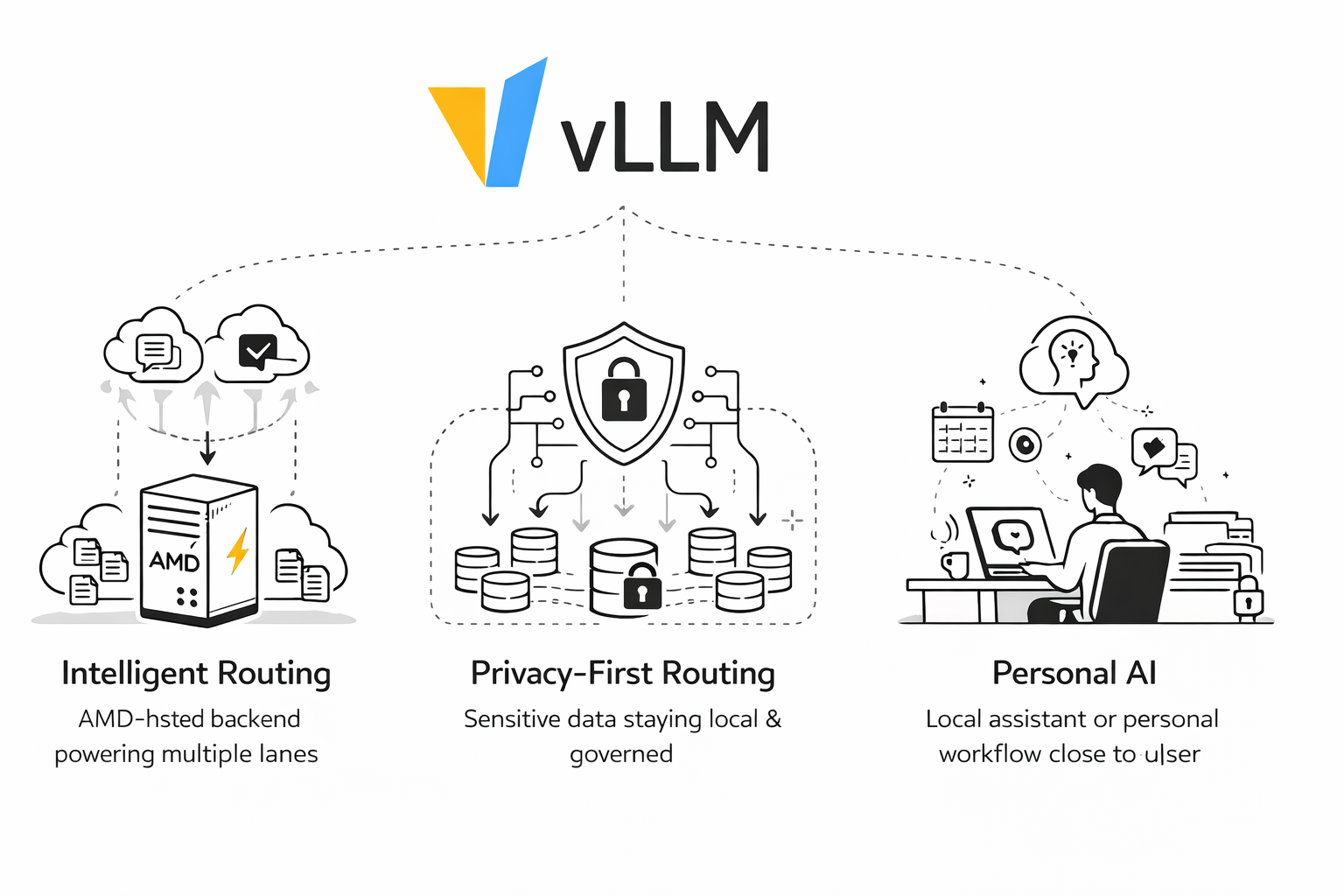
1. Intelligent Routing on AMD
The most immediate opportunity is intelligent routing. A single ROCm backend on AMD Developer Cloud can serve as the physical execution layer for multiple logical lanes. That means teams can prototype a Mixture-of-Models experience, cost-aware routing, replay-driven debugging, and tiered product behavior without first standing up a large multi-backend fleet.
In the AMD reference profile, the cheapest, medium, complex, reasoning, and premium lanes all resolve onto different models. The router still gives you differentiated behavior because the policy lives in signals, projections, and decisions, not only in the number of containers you run.
2. Privacy Routing and Local-First Governance
The second opportunity is privacy routing, that keeps PII, private code, internal documents, and suspicious prompts on a local lane while only escalating clearly non-sensitive reasoning work when policy allows it. That pattern is especially meaningful on AMD because it supports a local-first deployment story: keep sensitive traffic on infrastructure you control, audit every decision, and make cloud escalation a governed exception instead of the default.
For enterprises, that means AMD-backed deployments can become the trusted default lane for internal copilots, regulated workloads, or hybrid private AI systems. For developers, it means privacy is not just a hosting choice; it becomes a routing policy.
3. Personal AI and Local Personal Agents
The third opportunity is personal AI like deploying a personal model on AMD AI MAX+ and connecting to external Models as needed. Once routing, privacy, and reasoning are expressed as policy, an AMD-hosted stack can support assistants that feel more personal and more controlled. A personal AI system can keep ordinary tasks, memory-aware follow-ups, and private context on a local lane, while only escalating special cases when explicitly permitted.
That makes AMD interesting not only for enterprise infrastructure, but also for self-hosted assistants, home-lab AI, and local-first personal workflows. The important point is that Semantic Router lets the system distinguish between “keep this local,” “this is cheap and routine,” and “this needs deeper reasoning,” instead of treating all personal AI traffic as one undifferentiated workload.
Getting Started
Before you begin, make sure your AMD Developer Cloud instance is ready with:
- A ROCm-capable AMD GPU instance
- Docker installed and running
- Access to
/dev/kfdand/dev/dri - A persistent Hugging Face cache path, if you want to avoid repeated model downloads
Once you can SSH into the machine, you are ready to launch the backend.
Step 1: Create the Shared Docker Network
Create the network used by the reference deployment:
sudo docker network create vllm-sr-network 2>/dev/null || true
This keeps the backend naming consistent with the reference profile, which expects the vLLM service at vllm:8000.
Step 2: Start the AMD ROCm vLLM Backend
Run the following command on your AMD Developer Cloud instance:
sudo docker run -d \
  --name vllm \
  --network=vllm-sr-network \
  --restart unless-stopped \
  -p "${VLLM_PORT_122B:-8090}:8000" \
  -v "${VLLM_HF_CACHE:-/mnt/data/huggingface-cache}:/root/.cache/huggingface" \
  --device=/dev/kfd \
  --device=/dev/dri \
  --group-add=video \
  --ipc=host \
  --cap-add=SYS_PTRACE \
  --security-opt seccomp=unconfined \
  --shm-size 32G \
  -v /data:/data \
  -v "$HOME:/myhome" \
  -w /myhome \
  -e VLLM_ROCM_USE_AITER=1 \
  --entrypoint python3 \
  vllm/vllm-openai-rocm:latest \
  -m vllm.entrypoints.openai.api_server \
    --model Qwen/Qwen3.5-122B-A10B-FP8 \
    --host 0.0.0.0 \
    --port 8000 \
    --enable-auto-tool-choice \
    --tool-call-parser qwen3_coder \
    --served-model-name qwen/qwen3.5-rocm google/gemini-2.5-flash-lite google/gemini-3.1-pro openai/gpt5.4 anthropic/claude-opus-4.6 \
    --trust-remote-code \
    --reasoning-parser qwen3 \
    --max-model-len 262144 \
    --language-model-only \
    --max-num-seqs 128 \
    --kv-cache-dtype fp8 \
    --gpu-memory-utilization 0.85
This is the core of the deployment. The backend is still one Qwen model, but it now exposes multiple served-model aliases that the router can target semantically.
Install vLLM Semantic Router
With the backend up, install vLLM Semantic Router:
prerequisites
Python version: python3.12
# Create a virtual environment (recommended)
python3 -m venv vsr
source vsr/bin/activate
curl -fsSL https://vllm-sr.ai/install.sh | bash
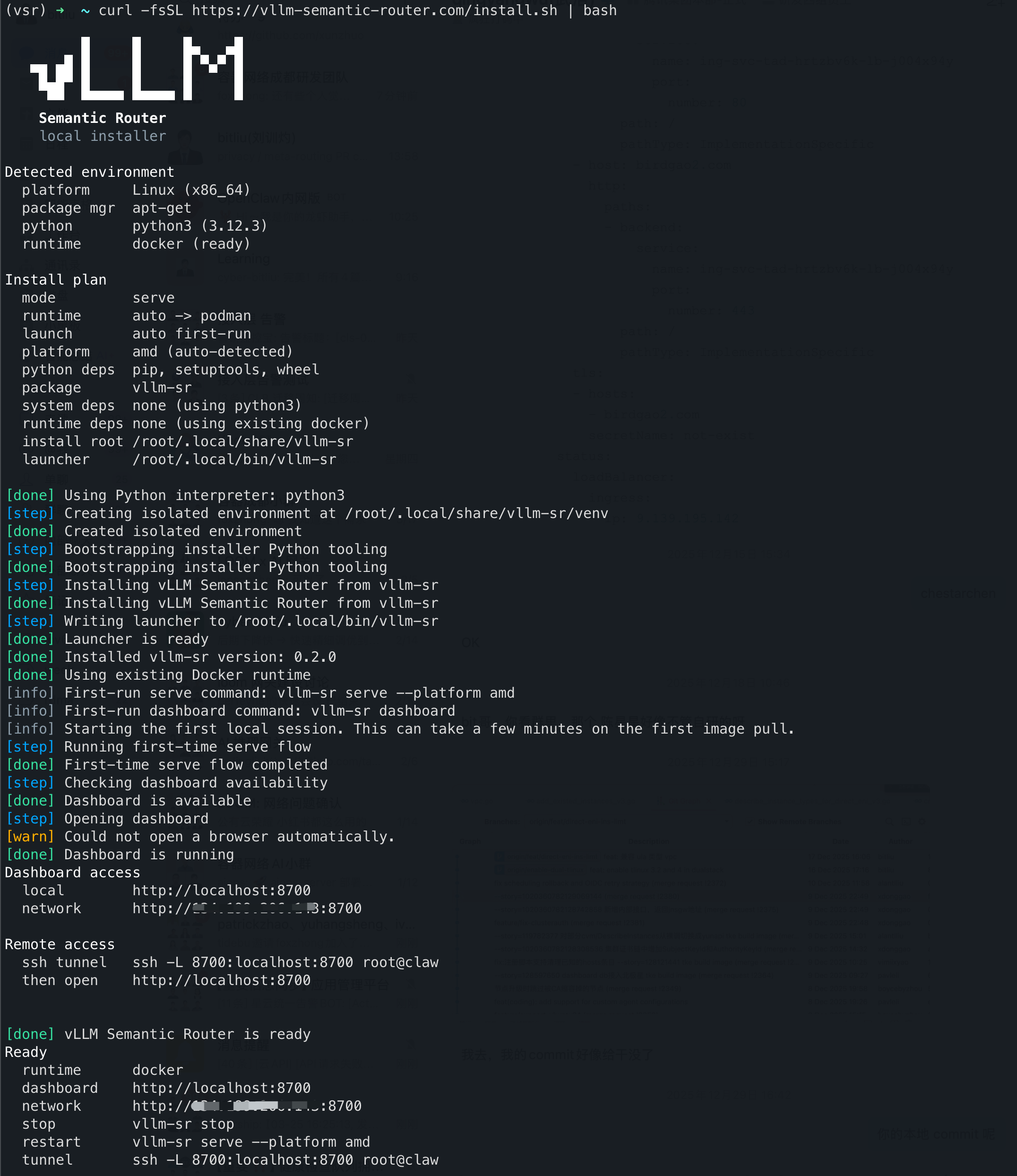
The router dashboard should then be available at:
http://<your-server-ip>:8700
Open the dashboard and complete onboarding.
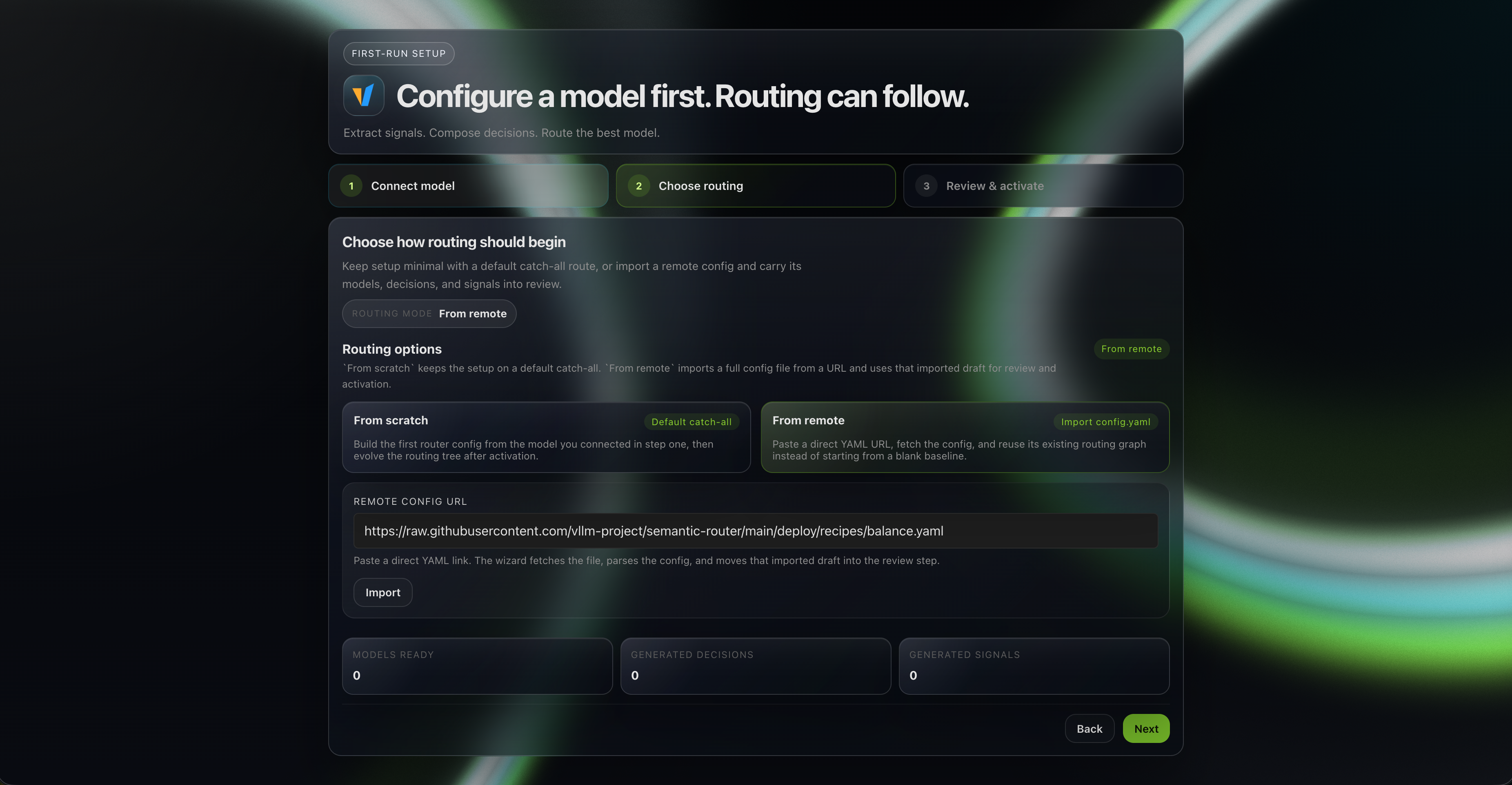
When prompted to load a routing profile (please skip the model configuration directly), import the reference YAML directly from:
https://raw.githubusercontent.com/vllm-project/semantic-router/main/config/recipes/balance/config.yaml
The remote import path applies the full YAML directly during onboarding. If you later inspect the same profile in the DSL editor, the routing surfaces decompile from routing.modelCards, routing.signals, routing.projections, and routing.decisions, while providers remains YAML-native.
What the Reference Profile Is Doing
The imported profile expresses a complete AMD routing story with 23 active decisions across:
- simple fallback lanes
- medium domain lanes
- verified overlays
- feedback recovery lanes
- complex technical lanes
- reasoning escalation lanes
- one emotionally engaged general lane
- one premium legal lane
This is useful because replay and Insights stay signal-native. Instead of inventing a separate runtime dimension schema, the system shows what actually happened during routing: which signals matched, which projection outputs fired, which decision won, and which alias received the request.
Two intentionally conservative paths in the profile are worth calling out:
fact_checkoverlays only escalate when verification pressure is strong and the prompt gives explicit confirmation cuesuser_feedbackrecovery lanes require literal correction or clarification signals instead of broadly capturing all follow-up traffic
That makes the profile easier to reason about when you are testing routing behavior on a single backend.
Validate the Deployment in the Playground
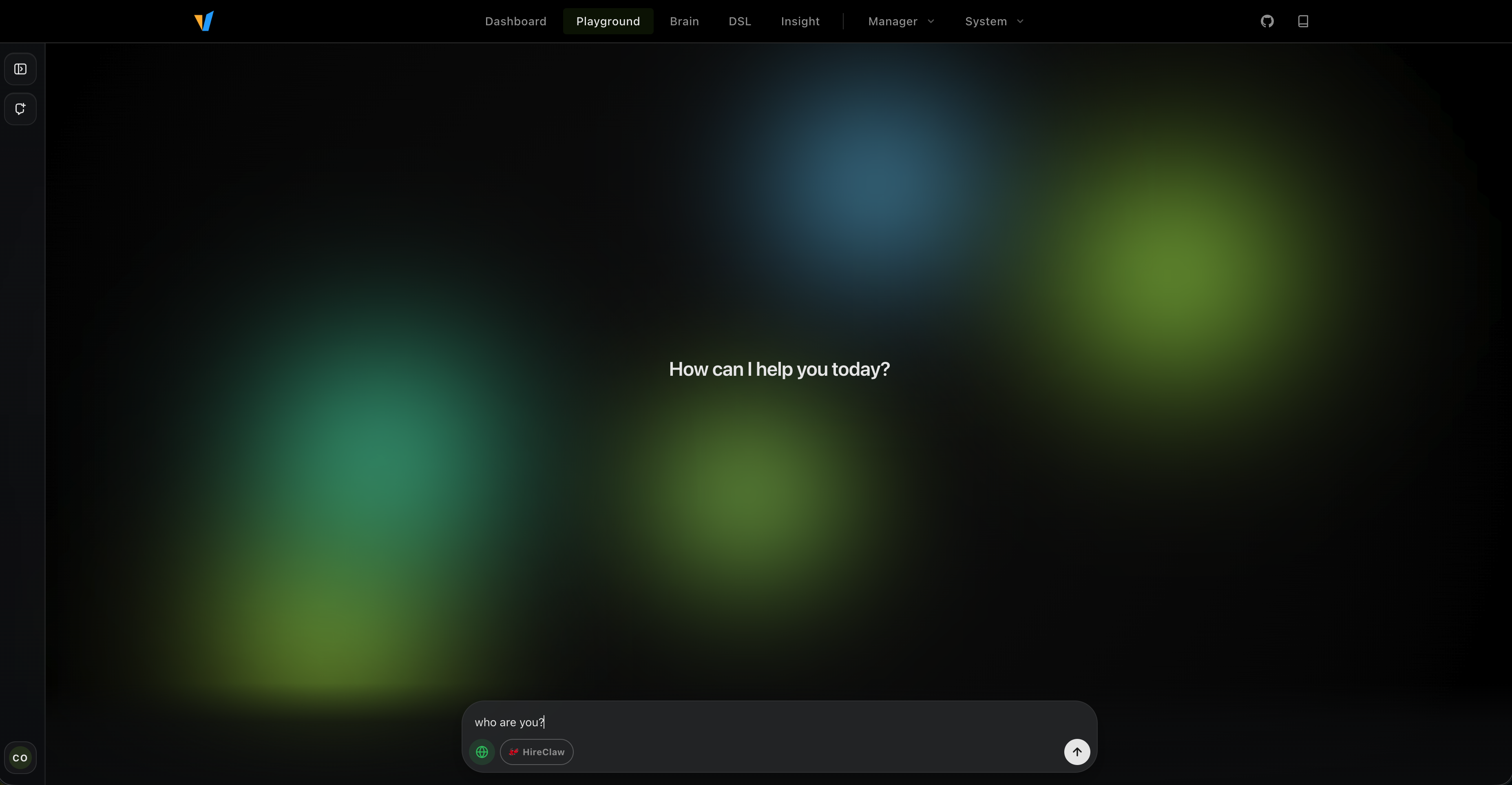
Once onboarding is complete, the fastest way to validate the system is through the dashboard playground. Try a few prompts that represent different routing tiers:
Coding Help
Debug this Python stack trace and suggest the most likely fix.
This should land on the cheaper coding lane backed by qwen/qwen3.5-rocm.
Deep Reasoning
Prove rigorously that the square root of 2 is irrational.
This should escalate into the reasoning tier and map to the openai/gpt5.4 alias.
Premium Legal Analysis
Provide a legal analysis of the indemnity clause, liability cap, and compliance obligations in this contract.
This should match the premium legal lane and forward to anthropic/claude-opus-4.6.
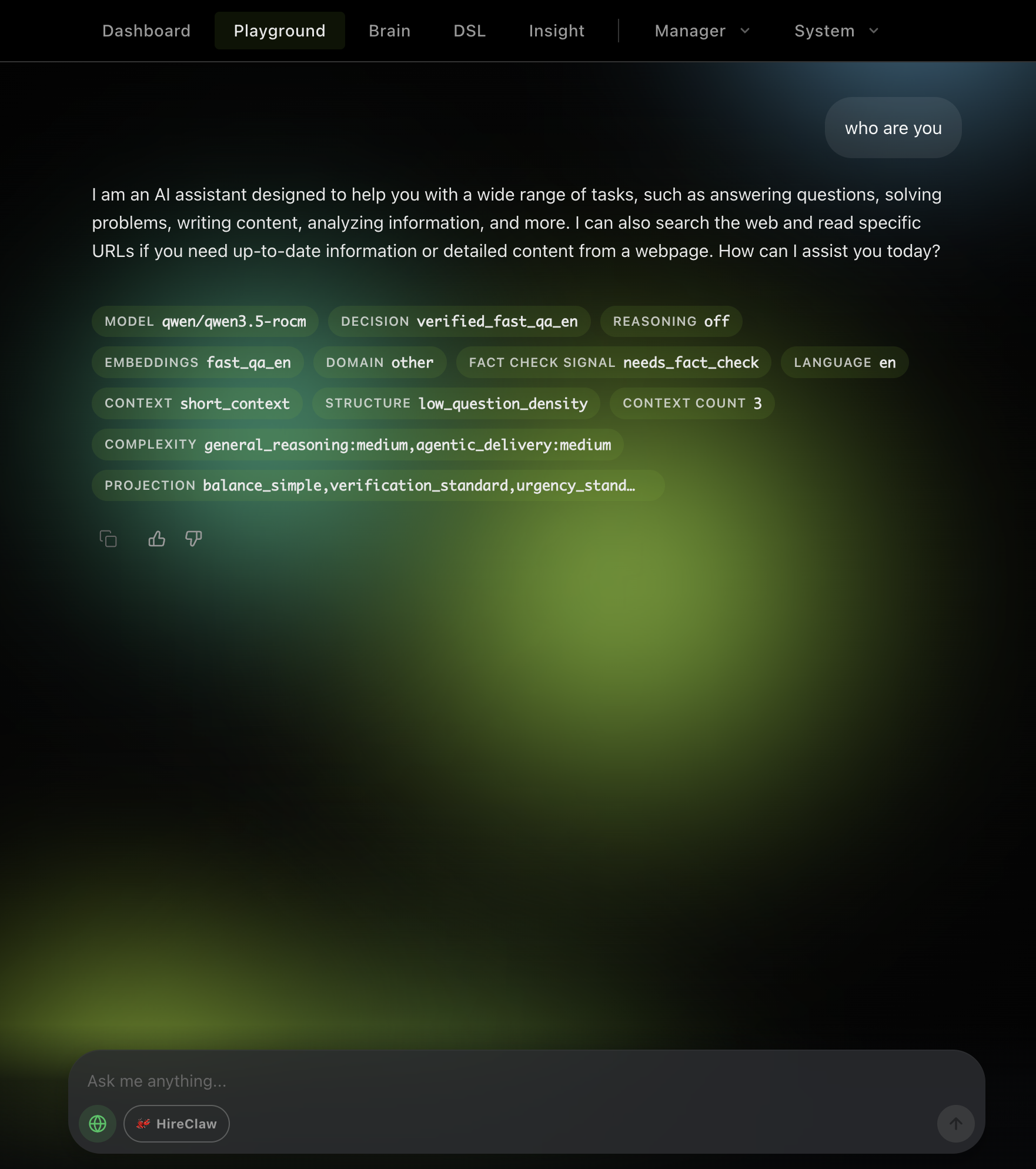
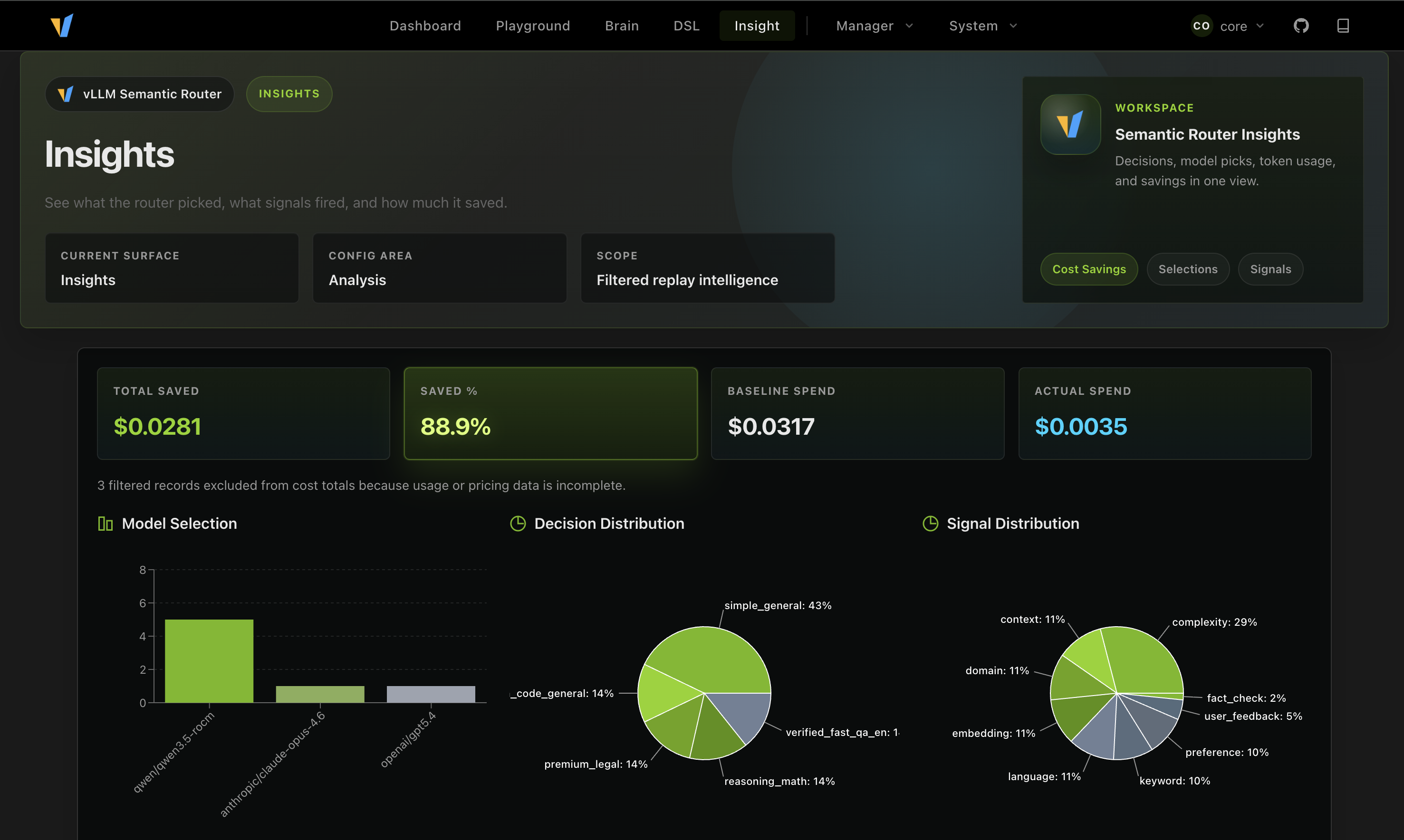
Observe the Routing Behavior in Insights
You can also inspect the routing behavior in Insights. The reference profile includes replay, so you can see what actually happened during routing. And also how much money you saved by using the cheaper lanes.
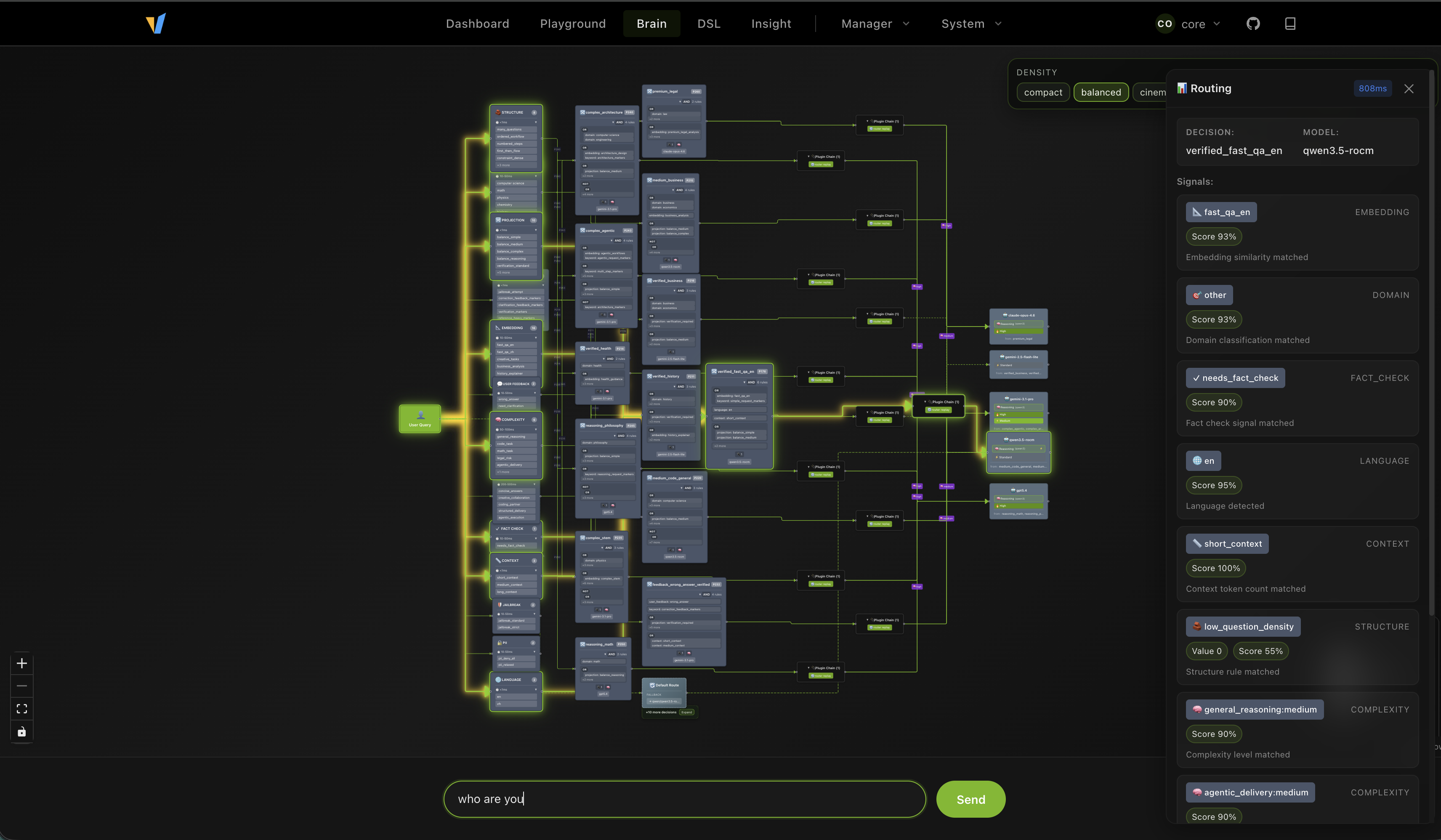
Test the Brain Topology
The router dashboard also includes a brain topology view that shows the high-level structure of the routing graph. This is useful for understanding the overall shape of the policy, and how different decisions are connected. And you can directly test your prompt to see its activation path.
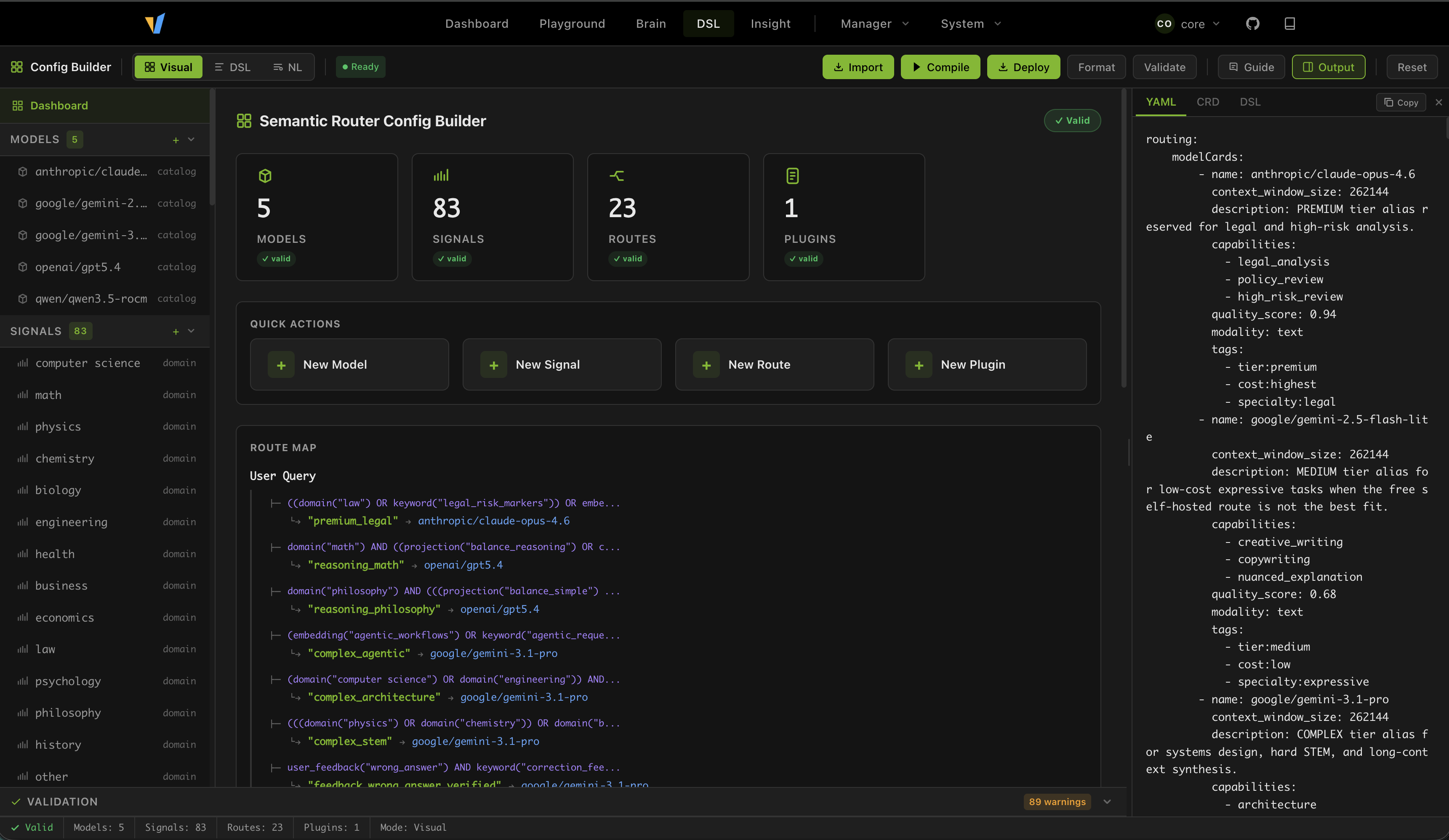
Design Your Own Routing DSL
The dashboard also includes a full DSL editor that lets you design your own routing policy. The reference profile is a good starting point, but you can also use the editor to try out different ideas.
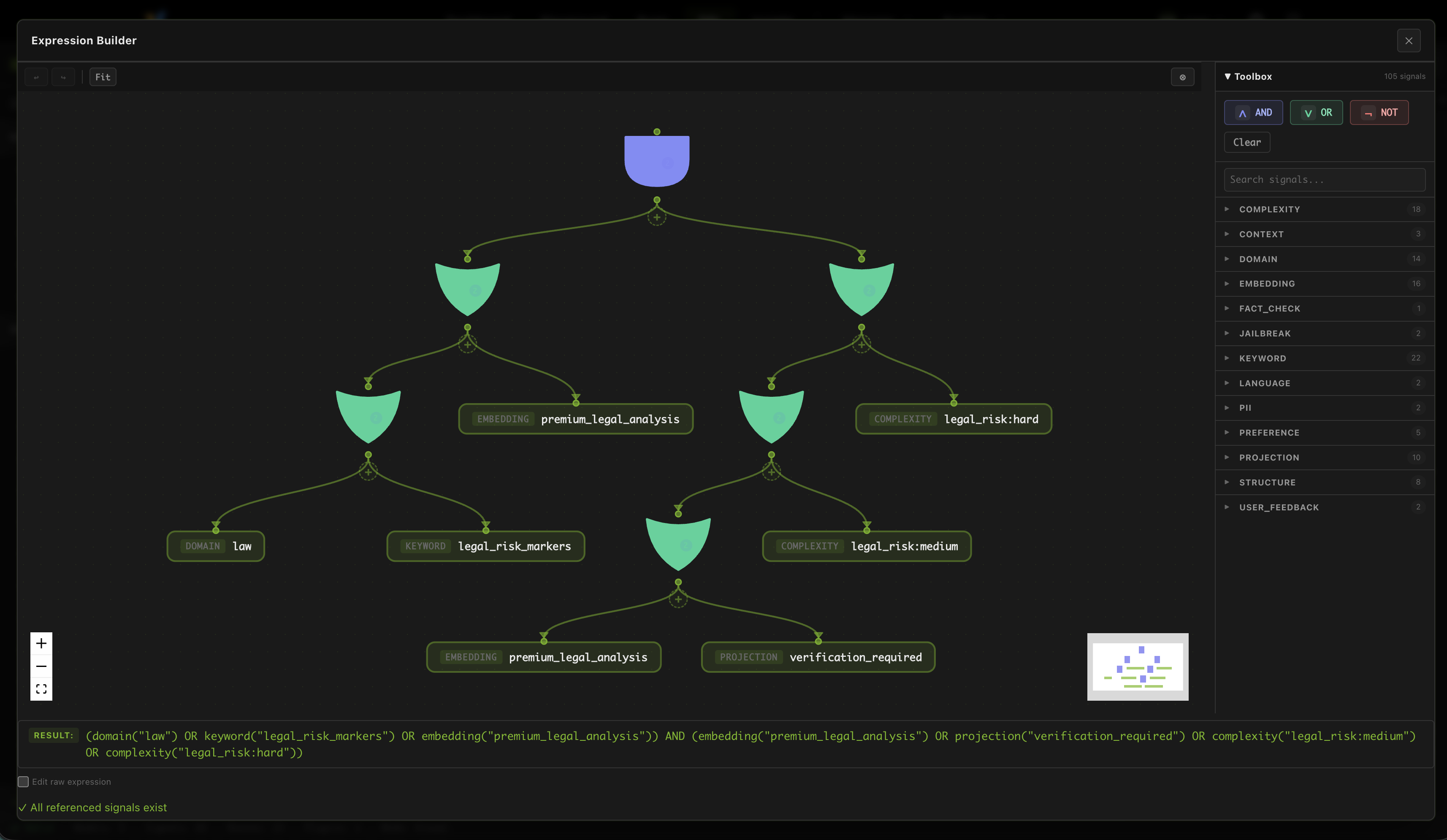
And you can design a very complex boolean expression in a single route, to express very precise routing policy.
Final Thoughts
Deploying vLLM Semantic Router on AMD Developer Cloud gives you more than a working endpoint. It gives you a compact routed system: one or more ROCm-hosted backend, multiple semantic tiers, visible routing logic, and a dashboard experience that makes the behavior understandable instead of opaque.
That is what makes this reference profile useful. You can start with a single real AMD backend, import a complete routing policy, inspect how decisions are made, and then iterate from there without first building a large multi-backend fleet. For teams exploring cost-aware routing, replay-driven debugging, or AMD-based MoM patterns, it is a practical and reproducible starting point.
Acknowledgements
We would like to thank the following teams and individuals for their contributions to this work:
- AMD AIG Team: Andy Luo, Haichen Zhang
- vLLM Semantic Router OSS team: Xunzhuo Liu, Huamin Chen
Join Us
Looking for Collaborations! Calling all passionate community developers and researchers: join us in building the system intelligence on AMD GPUs.
Interested? Reach out to us:
- Haichen Zhang: haichzha@amd.com
- Xunzhuo Liu: xunzhuo@vllm-semantic-router.ai
Share your use cases and feedback in #semantic-router channel on vLLM Slack